Health Overview
The Health page is where you can track your weight, body fat, macros, and day ratings. It's got graphs to visualize your progress and forms to manually enter data when you need to.
How I Use (and Don't Use) the Health Page
To be honest, I rarely visit this page in the Holltask web app these days. I've been working on a smart body scale and food scale that automatically enter weight, body fat, and food data into Holltask. Once those are released and working smoothly, most of the data entry happens automatically without me having to open this page.
That said, the Health page still works great if you want to manually log your data or if you're not using the automated scales.
What's on the Health Page
Graphs
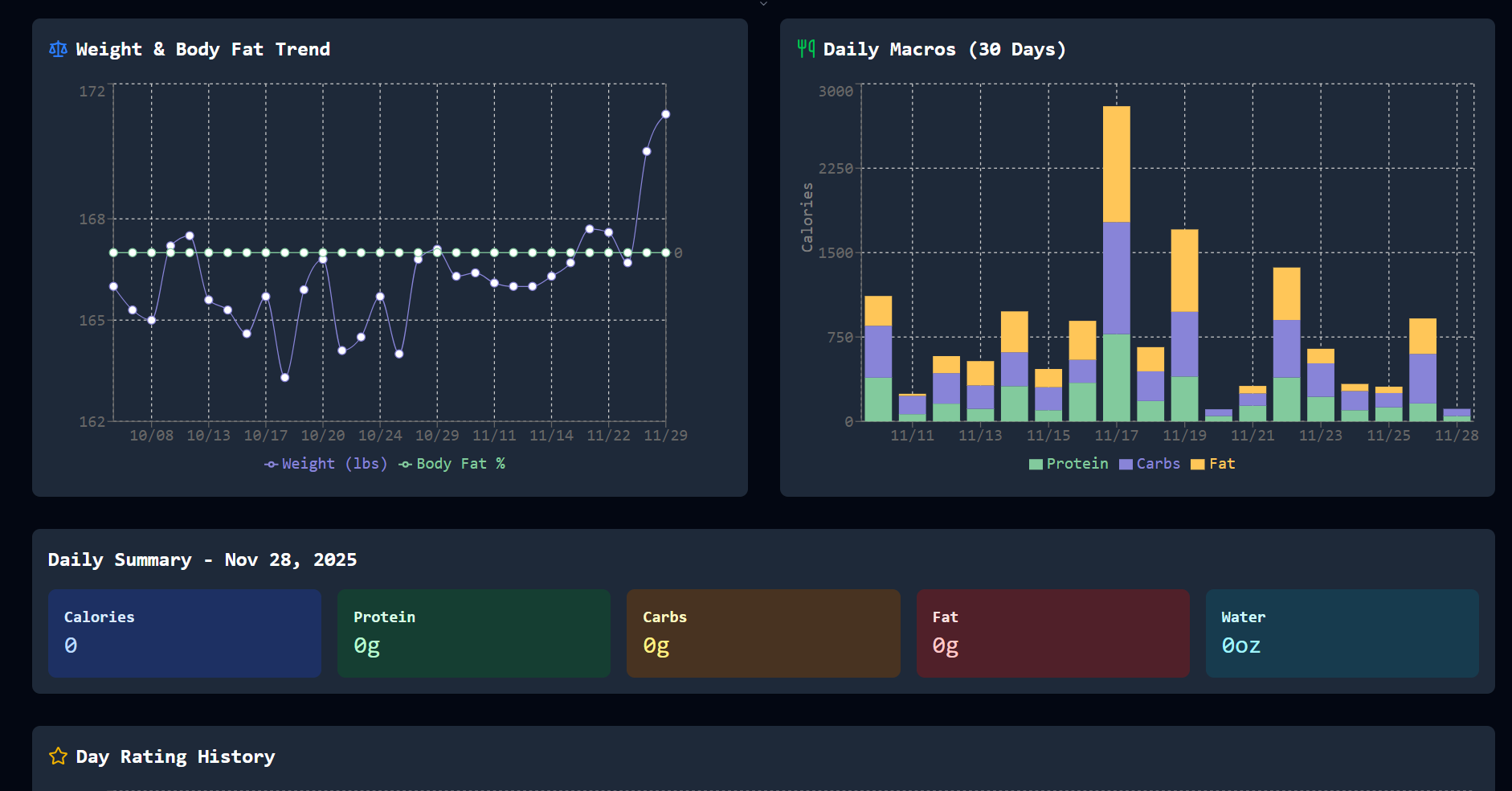
The page shows several graphs to help you visualize your health data:
- Body Weight and Fat - Track your weight and body fat percentage over time
- Macros - See your protein, carbs, and fats trends
- Daily Macro Summary - A quick view of your macro breakdown for the day
- Day Rating - How you've been rating your days
These graphs help you spot patterns and see how different aspects of your health are trending.
Data Entry Forms
When you need to manually enter data, the Health page has simple forms for:
- Weight - Log your weight and body fat percentage
- Food Entries - Enter what you ate with calories and macros
- Day Ratings - Rate how your day went
The forms are straightforward and quick to fill out when you need them.
The Future: Automated Data Entry
I'm working on releasing smart scales (body scale and food scale) that automatically sync data to Holltask. The idea is that you step on the scale or weigh your food, and the data just flows into Holltask without you having to manually enter anything. That's the goal, anyway—we'll see how it works out once they're released.