Overview
The Todos tab is the heart of Holltask Mobile. This is the part of the app I use the most, and where the "notepad" inspiration really shows up—it's built to be clean, fast, and distraction‑free.
A Clean, Centered Todo List
When you open the Todos tab, all you see are your tasks, centered on the screen with nothing noisy around them. No sidebars full of filters, no giant toolbars—just the list of what you need to do.
That simplicity is intentional. I wanted it to feel like writing in a plain text file, but with just enough structure to actually be useful long‑term.
How Interaction Works
Tap to Expand
Each todo starts out minimal so the list stays easy to scan. When you tap on a todo, it expands to show more information:
- Status
- Priority
- Category
This keeps the list visually light most of the time, but gives you more context the moment you care about a specific item.
Quick Actions When Expanded
When you tap a todo and it expands, you can:
- Tap priority to cycle through priority levels
- Tap category badges to cycle through categories
- Tap the pencil icon to edit the todo text
- Tap the trash can to delete the todo
The idea is that the tools are right there when you need them, but they don't clutter the main list view.
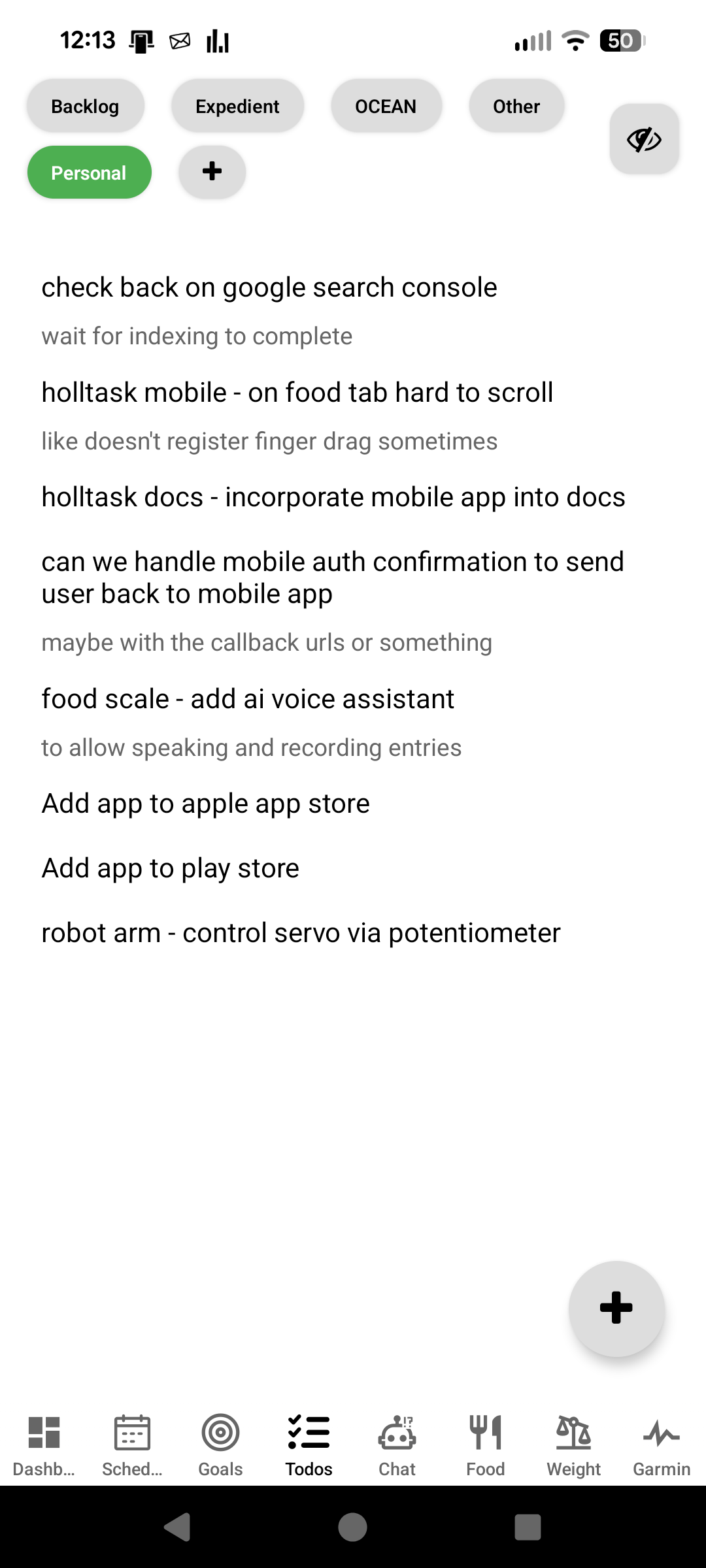
Why I Like This Flow
This design makes it easy to:
- Stay focused on the next thing you need to do
- Drill into details only when you want them
- Manage the list without cluttering the screen
It still has the power of a real task system, but it keeps the same feeling I liked from my old workflow of writing todos in notepad and deleting them as I went—simple, quick, and easy to come back to. On mobile, everything is just a tap away.
Great Paired with the Web App
The Todos tab works great when paired with the Holltask web app. I really use the web app most of the time for managing my todos, but the mobile app is perfect for quickly adding todos on the go as I think of them. The data syncs between both, so you can capture ideas on your phone and then manage them more fully when you're back at your computer.